You found a relief medallion pack, it is $3.99, and the preview looks like something a woodcarver spent a fortnight on. The reasonable next thought is: will my machine actually do that, or am I about to buy a file I cannot open into anything?
Fair question, and the honest answer depends less on your machine than on what the word "relief" is doing in the product name. It is doing something specific here, and knowing what saves you either a wasted purchase or an afternoon looking for a 3D toolpath that was never going to exist.
Tip
Short answer: relief medallion packs are vector line art that produces a carved appearance through drawn shading, not files that contain height data. A laser engraves them natively. A CNC router can engrave or V-carve them, but needs separate relief modeling before a 3D surface-machining pass. A vinyl cutter will cut the line work and then defeat you at the weeding stage, so use Print Then Cut instead.
What is actually in a relief medallion pack
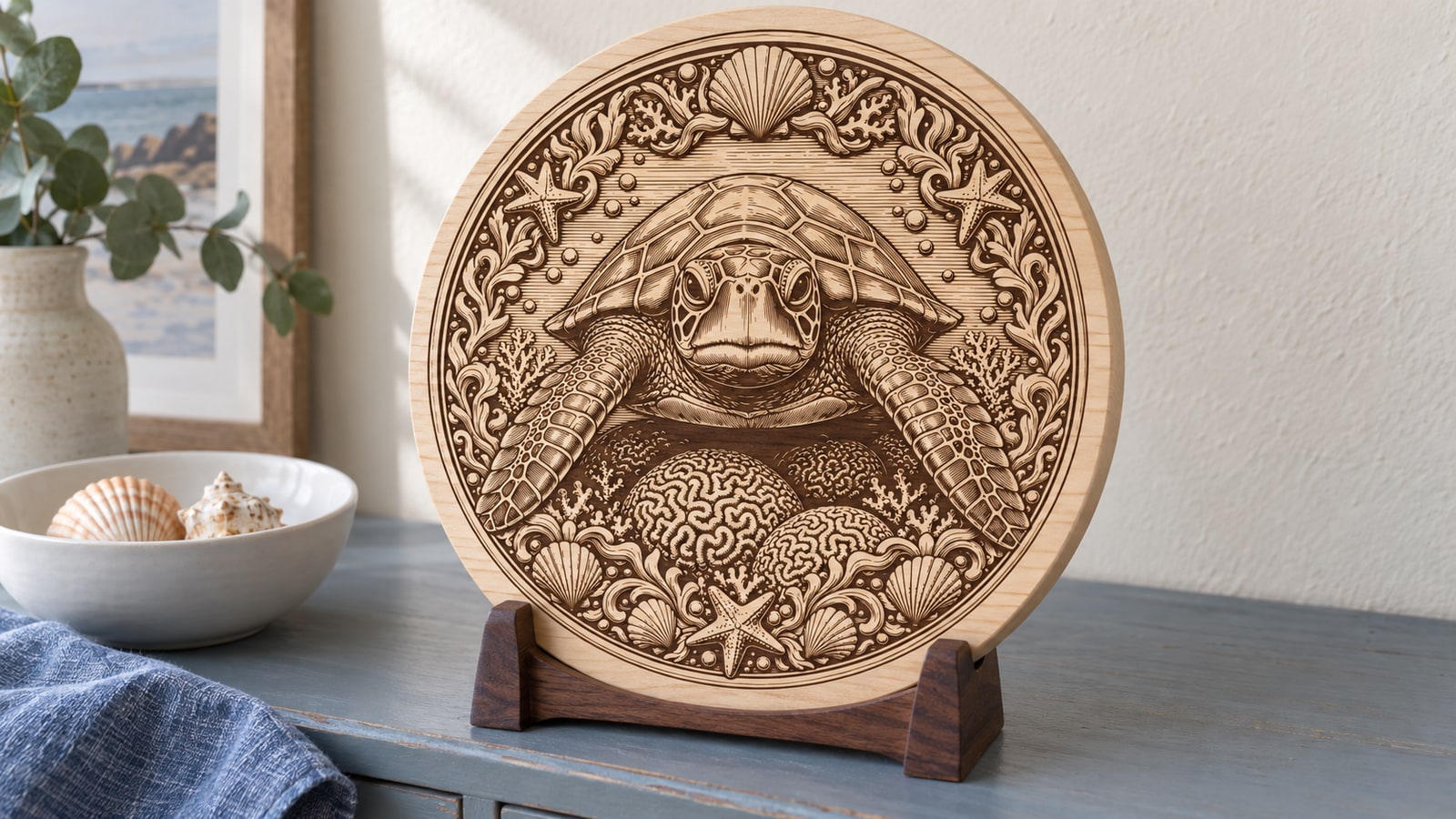
Each pack is a set of circular designs, one design per file. The counts vary by subject: Ocean Relief Medallions holds 30, Dog Breed Relief Medallions holds 46. Every design is a complete composition, with a subject in the centre, a wreath ring around it, and a double-line rim closing the outside edge.
Every file arrives in five formats: SVG, PNG, JPG, PDF, and EPS. The SVG is the one that matters for cutting and engraving software. Raster downloads can be used for printing or supported image-engraving workflows. Inspect their pixel dimensions and background before import.
Open the SVG and you find one color. Pure black paths, no greys, no gradients, no separate layers waiting to be pulled apart for multi-color work. The entire sculpted effect is drawn: dense directional hatching wraps each form so it reads as rounded, hatched cast shadow lifts the subject off a striated background, and the rim gives it the raised edge of a struck coin.
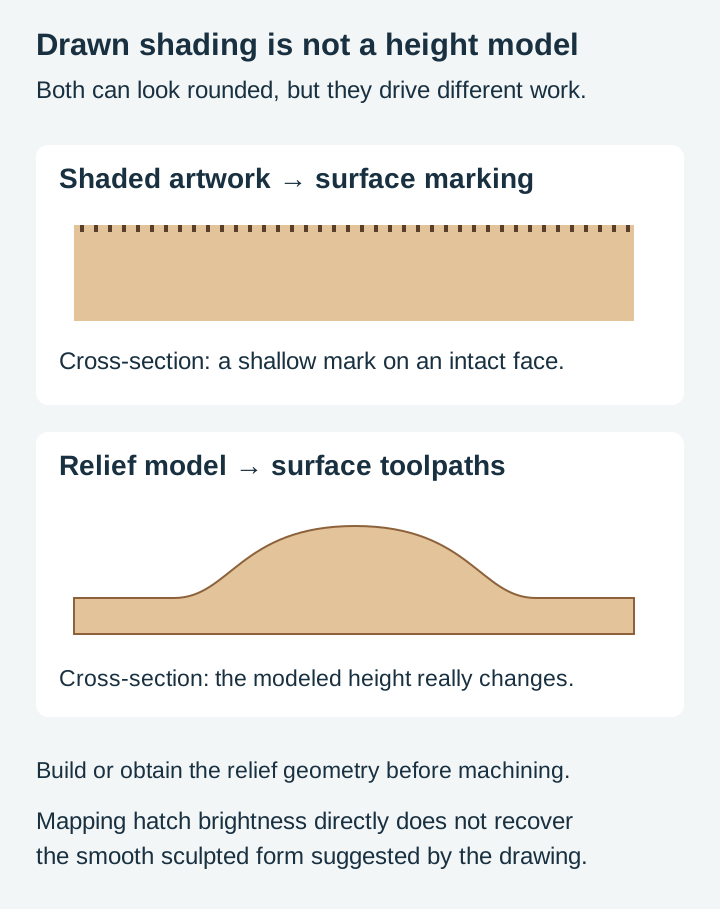
That is worth dwelling on for a second, because it is the whole design idea. The medallion looks three-dimensional for the same reason a pencil drawing looks three-dimensional, which is shading. Nothing in the file is physically higher than anything else.
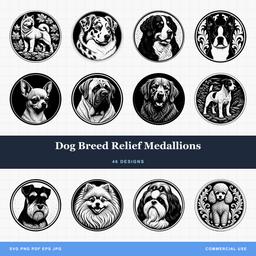 Dog Breed Relief Medallions46 designs, commercial license included$3.99
Why the pack has no depth data, and what that changes
These SVGs contain two-dimensional shaded paths, not a modeled sculpted surface. Relief software can build forms from vectors, but it needs modeling choices; importing hatching alone does not recover the intended anatomy. A true 3D carve reads a greyscale depth map or a mesh, and if that is the road you want, we have a full explainer on depth maps rather than a paragraph pretending to be one.
We would rather say this plainly than let the word "relief" do something misleading. These packs offer a drawn relief style for compatible marking and printing workflows. They do not give you depth you can run a thumb across.
For most buyers that trade is the right way round. Engraving and relief-carving times depend on size, material, machine and toolpath settings. Compare previews and test runs for your setup.
Machine by machine
Laser: the native fit
This is what the artwork was drawn for. The hatching, the cast shadow, and the striated background all rely on fine black line work marked into a surface, which is exactly what a laser does well.
Run it as a raster engrave, not a vector engrave. Tracing the boundary of every filled hatch shape changes its appearance and can add travel. Use a filled-vector scan or a prepared raster-image workflow when you want the black regions reproduced as solid marks. Import the SVG, set the whole thing to fill or scan mode, and let it raster.
Materials follow the usual engraving list: wood, slate, leather, acrylic, anodized aluminium, and coated blanks. The designs suit dark-on-light and light-on-dark equally, since the composition is built from line density rather than from a solid silhouette. Slate is a particularly good match, because a pale etch on dark stone gives the hatching more separation than most woods manage.
The one thing to get right is size, which brings us to the arithmetic.
How small you can go before the shading fills in
The hatch lines have a real width in the file, and that width scales with the finished piece. Measure representative narrow marks and gaps in the actual file at the intended diameter. Doubling the diameter doubles their widths; halving it halves them. No catalog-wide measured threshold is established here.
Now compare that against your own machine. Cutting kerf is not interchangeable with image-marking resolution. Spot shape, scan interval, focus, power and material response all affect whether closely spaced hatch marks merge and lose separation. The modelled look does not degrade gracefully at that point, it just leaves.
Choose a trial size for your intended object, then inspect a test mark. A small printed decal and a small wood engraving can preserve very different levels of detail. If you mostly make small items, our notes on detail size and what survives are the better read before you buy.
CNC router: three jobs, none of them a 3D pass
A router can absolutely use these files. It just uses them the way it uses any other vector art, and the honest framing is that there are three sensible jobs and one impossible one.
Cutting the blank. The outer rim gives you the circle. Draw a circle to match it in your CAM software, profile cut it with a tab or two, and you have produced the round the medallion sits on rather than buying one.
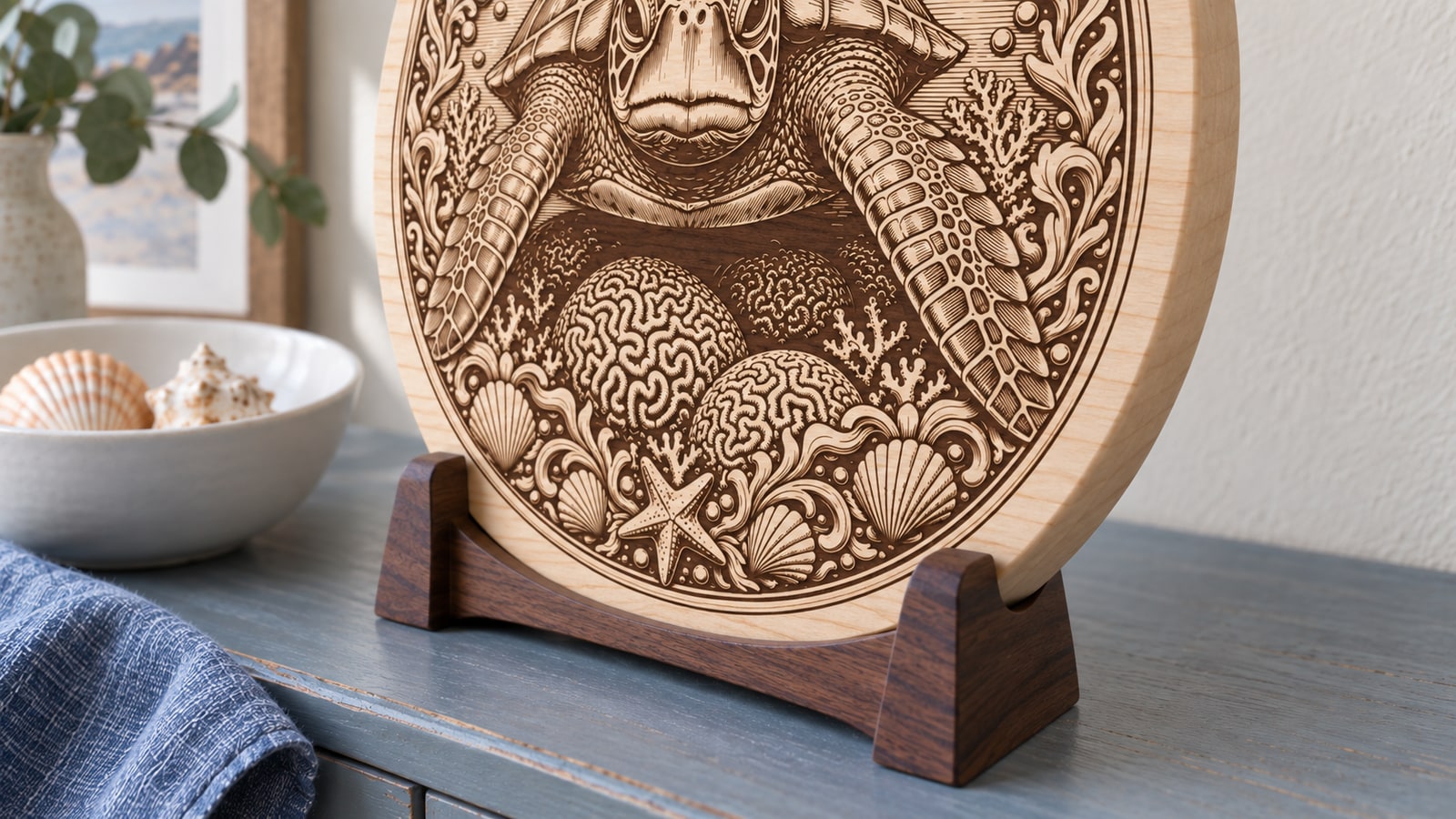
V-carving the line work. A narrow V-bit running a shallow engrave toolpath cuts the hatching into the hardwood, and unlike a laser mark those lines have genuine depth you can feel. Raking light catches the cut edges, which suits the medallion style very well. Expect a long job for it. A closed shape can generate many toolpath segments. Motion also varies: gantry lasers move a head, while galvo systems steer mirrors. Use the selected workflow’s preview and a sample run to estimate time.
A drag engraver. A spring-loaded diamond drag bit scribes rather than cuts, needs no spindle speed, and handles fine line work far more gracefully than a spinning cutter. On coated metal or acrylic it is the cleanest router route to this kind of artwork.
The imported line art is not yet a 3D relief surface. Build or obtain suitable height geometry before calculating a surface roughing or finishing pass. If you import a medallion SVG into VCarve or Carveco expecting to generate a sculpted surface, you will get a flat pocket or a V-carve and a moment of confusion. That is not the software failing, it is the file being a different thing.
If you want the router route with more apparent depth than a plain engrave, V-carving sits neatly in between, since bit geometry gives varying line width from flat vectors. Our V-carving tutorial walks through it.
 North American Wilderness Relief Medallions30 designs, commercial license included$3.99
Vinyl cutter and Cricut: the blade is not the problem, the weeding is
This is the one that needs saying before someone spends the $3.99 with the wrong plan.
Your machine will accept the SVG and start cutting. Dense regions can create long, delicate cutting jobs, with results dependent on scale, material and machine setup.
The real obstacle arrives afterwards. Very narrow isolated regions can lift with the waste or distort in transfer. A path count alone cannot predict weedability; actual shape width, spacing and film matter.
None of this is a fault in the design. The artwork was drawn as marking rather than as cutting, and marking is the thing a blade cannot do.
The good news is that Print Then Cut works beautifully. Print the PNG on printable vinyl or sticker paper, let the machine cut the outer circle only, and you have a clean round decal with all the shading intact. That route is covered in our Print Then Cut guide, and it is genuinely the right answer for a Cricut owner who wants these designs.
Printers: sublimation, UV, DTF, and print-on-demand
Printing can retain the drawn shading without cutting each hatch mark, subject to the printer, substrate and output resolution. Fine black detail on a white ground is the easiest thing you can ask of a sublimation blank.
Watch resolution rather than anything else. A 2048 pixel PNG across a 6 inch print lands near 340 dots per inch, which is comfortable. Stretch the same file to a 12 inch round and you are at 170, where the hatching starts to soften. For large prints, open the SVG in your design software and export at the size you need, since a vector scales to any dimension without losing anything.
Print-on-demand is permitted under our license, which is unusual enough to be worth stating outright. Uploading a medallion to Printful, Redbubble, or Amazon Merch on Demand for production is a legitimate use. The line you cannot cross is handing over the file itself for a platform to redistribute as a download.
The whole picture in one table
| Machine | Works? | What you actually do |
|---|---|---|
| CO2 or diode laser | Yes, natively | Fill the vector regions or use a prepared raster; test final size |
| CNC router | Yes, with caveats | Cut the blank, engrave with a V-bit or drag engraver, expect a long run |
| CNC, 3D relief pass | No | Build or obtain a relief surface, height map or mesh first |
| Vinyl cutter or Cricut | Usually impractical as dense cut vinyl | Print Then Cut the PNG and cut the circle only |
| Sublimation and UV | Yes | Print at 300 dpi or better for the finished size |
| Print-on-demand | Yes, license permits it | Upload for production, never for redistribution |
What you are allowed to sell
Every pack includes a commercial license at no extra cost. There is no upgrade tier, no per-unit reporting, and no cap on how many physical products you make and sell. Coasters, wall rounds, cutting boards, ornaments, engraved slate, printed apparel: all fine, in any quantity.
The single restriction is the obvious one. The digital file stays yours to use, not to resell or redistribute.
Choosing which pack to start with
Pick by subject rather than by machine, since every pack behaves identically once it is on the bench. The compositions and the drawing style are consistent across all fifteen relief medallion packs, so a pack that suits your customers will not surprise you technically.
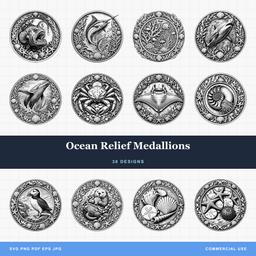 Ocean Relief Medallions30 designs, commercial license included$3.99North American Wilderness Relief Medallions30 designs, commercial license included$3.99Dog Breed Relief Medallions46 designs, commercial license included$3.99
If you sell at coastal markets, the ocean pack carries 30 designs from humpbacks to nautilus shells. If your customers are hunters and cabin owners, the North American wilderness set covers elk, bears, and mountain landscapes inside pine and acorn wreaths. Dog breeds tend to be the reliable seller anywhere, because a customer who owns a Newfoundland will buy a Newfoundland.
Browse the full set across wildlife, sea life, dogs, and nature and outdoors. Every pack is $3.99, ships in all five formats, and includes the commercial license. If you buy more than a handful of packs a year, Platinum Club at $59.99 covers the whole catalog for twelve months, with new designs added regularly.
Start with one pack, one 6 inch round of maple or walnut, and a raster engrave at your usual wood settings. That single test piece tells you more about how these designs sit on your material than any amount of reading, and gives you a basis for adjusting the next one.
Designs for this project
Frequently Asked Questions
Are relief medallion designs 3D files?
No. Our relief medallion packs are vector line art in SVG, PNG, JPG, PDF, and EPS. They produce a sculpted, carved-coin appearance through dense contour hatching and cast shadow rather than through height data. For a 3D roughing and finishing pass, you need a modeled relief, suitable height map or mesh. These shaded vectors need a separate modeling step for that workflow.
Can a Cricut or Silhouette cut a relief medallion?
The dense shaded artwork is usually a poor choice for ordinary cut vinyl, especially at small sizes. Inspect the exact design and test it rather than assuming a path count or minimum line width. The practical route on those machines is Print Then Cut: print the PNG, then cut the outer circle only.
How small can a relief medallion be engraved?
There is no universal minimum diameter. Check the narrowest marks and spaces after scaling, then test resolution and contrast on the intended material at your final settings.
Do I need special software to use a relief medallion pack?
No. The SVG opens in LightBurn, Inkscape, Design Space, VCarve, Carbide Create, and anything else that reads vector files. There is no 3D CAM license involved, because there is no 3D data in the file.