Type "free SVG files" into a search engine and you get millions of results. Type it into a craft group and you get a warning: half the horror stories in this hobby start with a free file, either a design that cut like a bird's nest of stray lines, or a cease-and-desist letter that arrived after those cute free designs turned into products on a shop page.
Finding SVG files is not the hard part. Finding files that are legal to use for your purpose and clean enough to cut well is, and the free versus paid question is really two questions wearing one coat: what does the license let you do, and what shape are the paths in? This guide takes both seriously, and yes, we sell SVG files ourselves, so we will tell you plainly where we sit in this landscape rather than pretending to referee from nowhere.
Tip
Short answer: free SVGs are fine for learning and personal projects if you check the license. The moment you sell what you make, you need files with a clear commercial license, and at that point good paid files are one of the cheapest inputs in your whole craft business.
The free SVG landscape
Free files are how most people start, and there is nothing wrong with that. Craft bloggers give away designs to build an audience. Design communities share starter files. Big marketplaces run free-file sections as a taste of their catalogs. For your first month of learning a machine, ruining vinyl on purpose to learn weeding, that supply is genuinely useful.
The problems arrive in two flavors.
Problem one: the license
Most free SVGs are licensed for personal use only. That word "free" describes the download, not the rights. Make a onesie for your niece and you are fine. Make ten onesies for a craft fair and you are infringing, and designers do enforce this, especially against Etsy shops, where a takedown can happen without warning.
Some free files allow commercial use but demand attribution, which is easy on a blog and absurd on a coffee mug. Others cap how many units you can sell. Others are "free" files that were themselves stolen from paid designers, which transfers the legal problem to you. If you cannot find written license terms, assume personal use only. Our commercial license guide walks through exactly what to check.
Problem two: the file itself
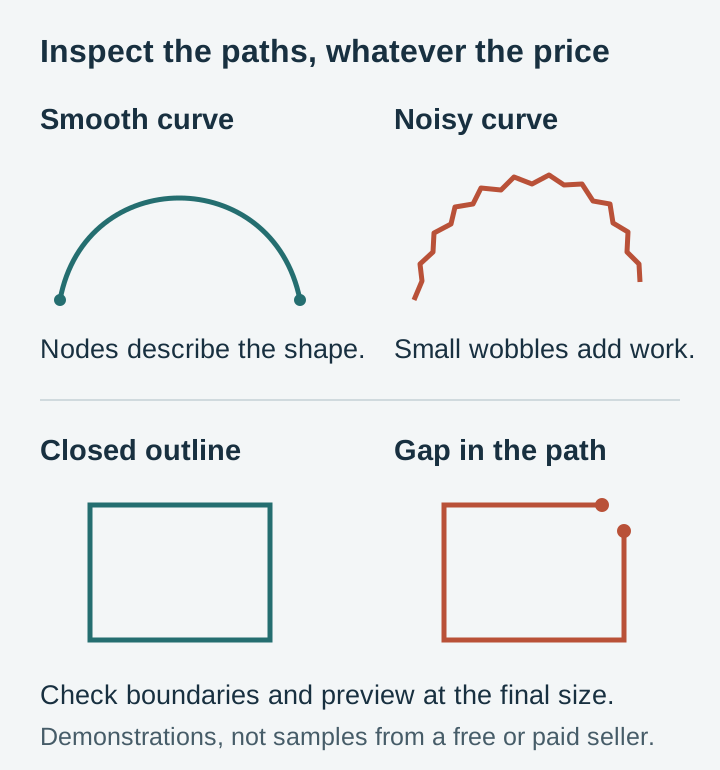
Free files skew heavily toward quick auto-traces, and it shows at the machine. Typical symptoms: thousands of unnecessary nodes that make cuts jagged and slow, shapes that look closed but are not, double-stacked paths that cut the same line twice, hairline details that tear the instant you weed them, and strokes that vanish when the software converts them to cut lines.
None of this is visible in a pretty preview thumbnail. It costs you material, blades, and evenings. There is no support inbox for a free file, so when it fails, the afternoon is simply gone.
Red flags on free download sites
Some free-SVG sites are generous designers building an audience. Others are ad farms, and a few are actively hostile. Learn the tells before you hand one your clicks.
Be wary of download pages with three different "Download" buttons where two are ads, of sites that wrap a simple SVG in an installer or an executable, and of aggregator sites offering thousands of designs with no named designer anywhere. That last one matters more than it looks: anonymous mega-collections are where stolen paid designs get laundered as freebies, and "the site said it was free" is not a defense that protects your shop.
A blanket "free for commercial use!" banner with no actual license document is the same warning in different clothes. A real grant of rights names who is granting them and what exactly is granted. If the site cannot tell you who made the design, it cannot license it to you either.
Where free genuinely shines
Two honest bright spots. First, craft blogs run by actual designers often give away well-made files, and following a few good ones is worth doing. Second, your own artwork: Craftgineer's MonoTrace is a free tool that vectorizes a drawing or high-contrast image into a clean cutting-ready SVG, and files you make from your own art carry no license worries at all. Their Vector Studio goes a step further and generates original vector designs from a text description.
The paid SVG landscape
Paid sources sort into three broad types, each with a different deal on offer.
| Source type | Typical deal | Strengths | Watch out for |
|---|---|---|---|
| Big marketplaces (Etsy, Creative Fabrica, Design Bundles) | Singles and bundles at low prices | Enormous variety, reviews to read | Quality varies wildly seller to seller; license terms differ per shop |
| Independent design shops (that's us) | Curated packs, consistent licensing | One quality standard, one license, direct support | Smaller catalogs than a marketplace aggregating thousands of sellers |
| Subscriptions and memberships | Flat fee for library access | Cheapest per design at volume | Check what happens to your rights if you cancel |
Marketplaces are where most people start, and the variety really is unbeatable. The skill you need there is vetting: every storefront is a different designer with different standards, so the license reading and quality checking falls to you, per shop, every time.
A quick vetting routine for any marketplace shop: check how long the shop has existed and whether reviews mention actual cutting, words like "weeded beautifully" or "cut clean", rather than just "fast download". Then search the design's title across the marketplace. If the identical artwork appears in six unrelated shops at wildly different prices, someone in that lineup is selling stolen files, and you cannot tell from the outside which listing is the original. Walk away from the whole cluster.
Independent shops trade breadth for consistency. Buy from one designer whose files you trust and every subsequent purchase is pre-vetted. Memberships make sense at volume, and we compare the math honestly in our subscription vs. individual purchase guide.
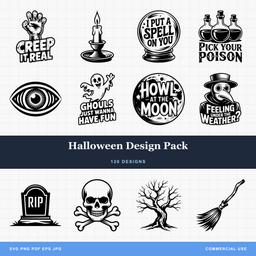 Halloween Design Pack120 designs, commercial license included$3.99
What to check before you buy from anyone
Us included. These six checks apply to every SVG seller on the internet.
1. A published commercial license. If you sell what you make, this is non-negotiable. The terms should be written down somewhere you can link to and save, and they should say plainly that selling finished physical products is allowed. Vague reassurances in a listing description are not a license.
2. All the formats you will ever need. A proper pack includes SVG for cutting and engraving plus PNG, and ideally PDF, EPS, and JPG, so the same purchase covers your Cricut today and the laser you buy next year. Our format comparison explains what each one is actually for.
3. Clean vector paths. This is the difference you feel at the machine. Well-made SVGs have efficient paths with only the nodes the curves need, properly closed shapes, and no duplicate lines. After any purchase, open the file in Inkscape, hit select all, and look at the node count. Clean files read in the hundreds of nodes; auto-traced messes read in the tens of thousands.
4. Transparent PNG backgrounds. If the PNGs have white baked in behind the design, they are nearly useless for sublimation, Print Then Cut, and layering. Transparency should be standard.
5. Reviews and a reachable seller. Other crafters will tell you whether the files actually cut as advertised. And a seller who answers questions before the sale will answer them after it, which matters the day a file gives you trouble.
6. Detail sized for real materials. Look closely at the thinnest lines in the preview. A design drawn without production in mind will have hairlines that engrave fine but shred as vinyl. Good designers draw for the machine, not just the screen.
Keep a paper trail
Here is the habit almost nobody starts early enough: save the license alongside the files, every time, from every source.
When you buy or download a design, save a copy of the license terms as they read that day, a PDF or a screenshot with the date visible, plus your order receipt. Store them in the same folder as the design files, organized by seller. Licenses get rewritten, shops close, and free files vanish from blogs, and the terms that apply to you are usually the ones in force when you acquired the file. Your saved copy is the only proof of what those were.
This is not paranoia, it is how intellectual property disputes on handmade marketplaces actually go. If a design you sell is ever challenged, the seller who can produce a dated license and receipt in five minutes keeps their shop open while the dispute resolves. The seller who "definitely bought it somewhere in 2024" is in a much worse conversation. Two minutes of filing per purchase buys you that position.
Where PrintCutCarve fits, stated plainly
We are one of the independent shops in that table, so here is our deal laid out for the same inspection we just recommended you give everyone.
Every pack in our catalog costs $3.99 flat, and a pack is a collection, not a single: most hold 25 to 50 related designs, and the big seasonal bundles run larger, over a hundred designs in the Halloween and Christmas packs. Every purchase includes all five formats, SVG, PNG with transparency, JPG, PDF, and EPS, and a commercial license with no add-on tier: sell unlimited finished physical products, no unit caps. The main limit: the digital files themselves may not be resold or shared. The license page lists the rest.
On quality, the checks above are our own production checklist. We build and clean every file as a cutting file, layer structure that makes sense, closed paths, node counts kept lean, detail thick enough to survive a blade and not just a screen. New packs are added to the catalog regularly, and for high-volume crafters the Platinum Club membership opens the full library for $59.99 a year, which pays for itself against per-pack pricing somewhere around your sixteenth pack.
That is the pitch, and you should still judge us the way this guide taught you to. Zoom into our previews, read our license, count our nodes.
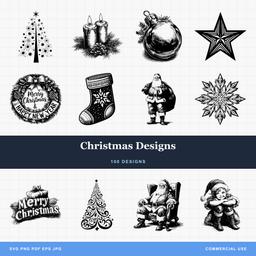 Christmas Designs100 designs, commercial license included$3.99
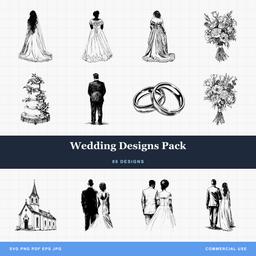 Wedding Designs Pack89 designs, commercial license included$3.99
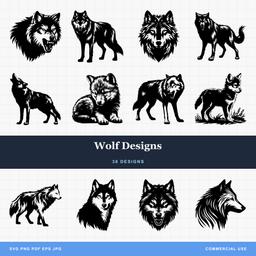 Wolf Designs38 designs, commercial license included$3.99
A sensible sourcing strategy
Pulling it together, here is the approach we would give a friend starting out.
Learn on free files, guilt-free, while you are cutting practice vinyl and calibrating your machine. Follow two or three designer blogs whose free work is clean. Use MonoTrace when you want your own art on a project.
The day money changes hands for your work, switch your sourcing. Buy from sellers with published commercial licenses, keep a folder of the license terms alongside your files, and favor packs over singles, because variety on your product table is what pays at a craft fair. Whether that is us, a marketplace seller you have vetted, or a mix, the discipline is the same.
The pack-versus-single math is worth doing once, explicitly. A single design bought for a couple of dollars is fine for a one-off gift, but a 30-design pack at $3.99 works out to about thirteen cents per design, and at a fair it lets you offer the same product in a dozen variations instead of one. Variety is what turns a browser into a buyer, and packs are the cheap way to stock it.
And whichever route you take, learn to open a file in Inkscape and look at it before cutting day. Ten seconds of node-checking before you buy is the cheapest insurance a craft fair prep night can get.
Start browsing
If you want to see what our end of the landscape looks like, the wildlife collection and quotes and sayings collection are good first stops, and every pack page shows the full design grid before you spend a cent. New to the format entirely? Our beginner's guide to SVG files starts from zero.
Designs for this project
Frequently Asked Questions
Can I sell things made from free SVG files?
Usually not. Most free SVGs are licensed for personal use only, and selling products made from them without a commercial license puts your shop at legal risk. Always read the license before a design touches anything you plan to sell, and keep a copy of the terms.
How can I judge an SVG file's quality before buying?
Look at the preview images at full zoom for wobbly edges and broken shapes, check that the listing names its formats and license terms plainly, and read reviews from other crafters. After purchase, opening the file in Inkscape and glancing at the node count tells you quickly whether the paths are clean.
Is a design membership better than buying individual files?
It depends on volume. Occasional crafters do better buying only what a project needs. If you cut most weeks or sell finished products, a library membership like our Platinum Club at 59.99 dollars per year usually costs less than buying packs one at a time.